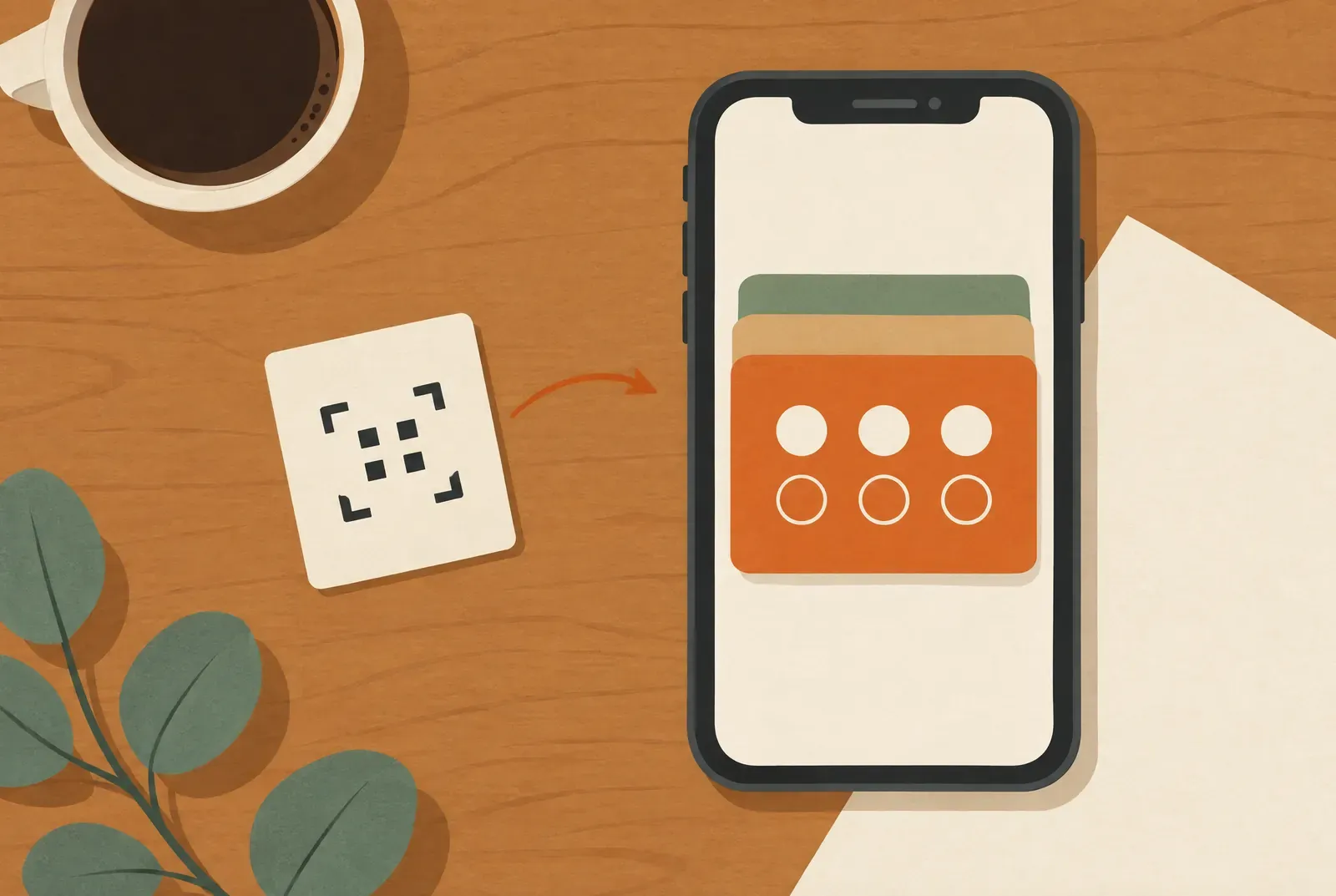
Yes, a digital stamp card works without an additional Treubar app for your customers: with Treubar it sits as a pass in Apple Wallet or Google Wallet. Here, “no app” means no Treubar app or Treubar account for customers; a wallet app is still needed. Your team stamps with the Treubar app for iOS or Android, and a customer without a smartphone or a wallet can’t use the card.
See the stamp card app for your business for the features your team gets.
Who needs what?
| Customer | Team at the counter | You as the owner | |
|---|---|---|---|
| App | No Treubar app; Apple Wallet or Google Wallet required, install Google Wallet if missing | Treubar app for iOS or Android | Treubar app or browser |
| Account | No Treubar account; Google Wallet needs a Google account | Own login by QR code | Treubar account |
| Device | Smartphone with Apple Wallet or Google Wallet | Their own phone, no separate scanner | Phone or computer |
| One-time details | First name, last name, date of birth | None | Card, reward, stamp target |
How the card gets onto the phone without an app
- Your customer scans the QR code at the counter with their phone’s camera.
- A web page opens, where they enter their first name, last name and date of birth once.
- They tap “Add to Apple Wallet” or “Add to Google Wallet”.
- The card sits in the wallet, next to boarding passes and concert tickets.
On the next visit they open the wallet and show the card. Your team scans it, and the stamp count updates by itself. Without a connection, the display can lag; disabled pass updates in Apple Wallet can also prevent it from updating. Apple explains these update limits. You can show your team the guide to adding the card.
What “no app” means exactly
The term gets vague quickly, so here is what is and isn’t true:
- No Treubar app for customers. Your customer installs neither a Treubar app nor an app specifically for your shop.
- No Treubar account. At Treubar, your customer does not create a password or provide an email address.
- A short entry remains. Your customer enters their first name, last name and date of birth once, so the card belongs to one person. What happens to that data is in loyalty cards and GDPR.
- The wallet is itself an app. Apple Wallet comes with the iPhone. If Google Wallet is missing on the Android phone, the customer installs it from Google Play. A download is then needed, just not one for your shop alone.
- Google Wallet needs a Google account. Google’s wallet setup guide explains the requirements and installation.
When you explain the card, one sentence is enough: “Just scan with your camera, enter your name and date of birth, and the card is in your wallet.” The best place for the code is covered in the QR stand playbook.
What your team needs
On the business side there is an app. Your team opens the Treubar app on an iPhone or Android phone and scans the pass with the camera. You don’t need a separate scanner or a POS connection. Each team member signs in by QR code with their own login, on every plan and without a shared password. With poor reception, the app stores the scans and adds them once the connection is back.
There is one exception to scanning: with the optional NFC stand, customers stamp themselves at the counter. Bought separately, it costs a one-off €19.90, including VAT and shipping within Germany. Your first annual subscription includes a one-time bundle of NFC display stands with your logo: 1 with Start, 2 with Pro and 5 with Max. Renewals do not include new stands. Monthly plans do not include stands. If you use it, set a minimum interval between two stamps in the app.
Wallet card or your own customer app?
The real comparison isn’t app versus nothing. It’s whether your card sits in the wallet or in an app every customer has to install separately.
| Wallet card | Own customer app | |
|---|---|---|
| Customer’s first step | Scan the QR code, enter details; Google Wallet needs a Google account and wallet app setup if missing | Find the app, install it, often create an account |
| Space on the phone | A pass in Apple Wallet or Google Wallet; install Google Wallet if missing | One more app |
| Stamp count | Right on the card in the wallet | In the app |
| Messages | Through the wallet card, different per wallet | Through the app, if the customer allows notifications |
| Range of features | Limited to what a pass can show | Free to design |
| Upkeep for you | Handled by the provider | Depends on the provider; with your own development it’s yours |
For a simple stamp card in a small shop, the wallet is usually the shorter route. Your own app can make sense if you need more than a card, such as ordering or reservations. Treubar doesn’t do that: it is a stamp card, not an app builder.
The limits, honestly
A card without an app doesn’t suit every person or situation:
- No smartphone. Without a phone there is no wallet card. For these customers, a paper card is the better choice. If you run both, decide first how you handle stamps on both cards.
- No wallet on the phone. An Android device must meet Google’s wallet requirements linked above. Treubar does not provide an alternative wallet of its own.
- Customers who don’t want a wallet card. Some people don’t want cards on their phone or don’t want to give their name. Accept that rather than debating it at the counter.
- In-app browsers. If the page opens in the Instagram or TikTok browser, or in Firefox on an iPhone, it can’t put the card straight into Apple Wallet. The page then shows a note to open it in Safari. Google Wallet works there directly.
- Messages differ. Push messages come with Pro. Treubar messages can appear as notifications in Apple Wallet, depending on connection and settings. In Google Wallet, Treubar messages currently appear in the card details, without a notification banner.
- Changing phones. Whether the existing card appears on a new phone depends on the wallet, account and sync settings. Account-linked loyalty cards in Google Wallet require the same Google account. Transfer to every device or between Apple and Google is not guaranteed. A fresh scan of the QR code on the new phone, however, creates a new, empty card.
Google explains the transfer of account-linked loyalty cards. Apple describes pass syncing through iCloud. If the existing card is missing, contact support@treubar.de.
So the card is made for customers with compatible smartphones. If most of your customers don’t carry one, you’ll only reach some of them.
How to check whether “no app” suits your shop
The quickest way is a test. Create your card, add it to your own phone and have a team member add a stamp. Try it on an iPhone and on an Android phone. You can check other providers the same way: scan their sample card and see whether an app store or a registration appears.
The Free plan is enough for this test: it costs nothing and needs no credit card, but it only includes up to 20 customer passes. Prices for the other plans are in how much a digital stamp card costs and on the pricing page. What the card looks like in the wallet is on the wallet card page.