Push notifications for customer loyalty
Fresh pastries, an available appointment or this week’s offer: give regulars a reason to return. Pro and Max let you send messages through the wallet card they already have.

How it works
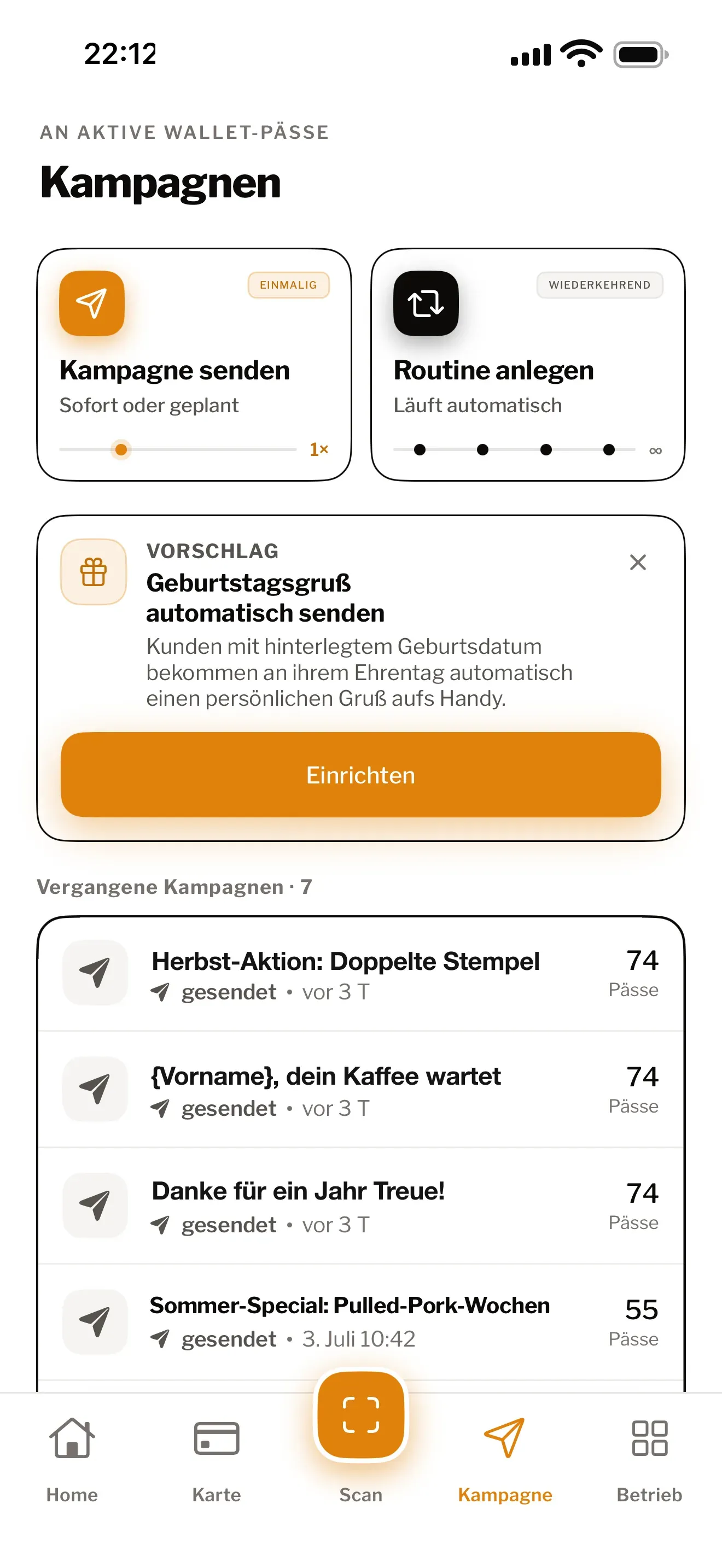
Write a short message, choose all cardholders or a target group, then send it now or schedule it. Apple Wallet shows a notification; Google Wallet displays the message in the card details. Customers need no Treubar app or email address.
A quiet Tuesday at the salon? “Two appointments available tomorrow, including one after work.” Give regulars a specific reason to book.
- One message to all cardholders: a notification in Apple Wallet, in the card details in Google Wallet
- Great for quiet afternoons or a last-minute promotion
- 20 campaigns a month with Pro, unlimited with Max
- Scheduled campaigns: you decide when and how often
Turn your latest news into a reason to return
You have an offer. Your regulars have your card in their wallet. A short message brings the two together, straight from the Treubar app.
- At a café: “Cinnamon buns fresh from the oven. Here until 5 today.”
- At a salon: “Appointments available this Thursday, including after work.”
- At a bakery: “Our walnut loaf is back. On the counter from tomorrow.”
A specific occasion makes a message feel like an invitation. Find more wording in our push campaign ideas.
Write, choose your audience, send
Before your first campaign: tell your guests when they add the card about promotional messages and their right to object, with a contact address for doing so, and arrange any consent you need. Treubar does not ask for this consent when a card is added. If a guest objects, stop sending to them; currently this requires deleting the guest and their card. Our guide to push campaigns explains the details.
- Open campaigns in the Treubar app and write your message.
- Choose all cardholders or a target group, such as customers who have not visited for a while.
- Send now or set a date and time.
Apple Wallet shows a notification; Google Wallet displays the message in the card details. You do not need another newsletter tool or an email list.
Prepare once, send at the right moment
Schedule your weekly offer before opening instead of writing it between orders. Automations handle recurring messages once you have set them up.
Pro includes 20 campaigns a month and 2 automations at a time. Automated sends with recipients count towards the campaign allowance. Max includes unlimited campaigns and automations.
Reach your regulars with Pro
Pro costs €39 a month or €390 a year. Max costs €69 a month or €690 a year and also covers up to five locations. Prices include VAT.
Try Pro or Max free for 7 days on a yearly plan. Compare Pro and Max. You can set up your wallet card on Free before choosing a paid plan.
Treubar in use at Studio HACO
Studio HACO has used Treubar since the pilot phase. The reward: “10th appointment −20%”.
Common questions
- Where do customers see the message?
- Apple Wallet shows a lock-screen notification when notifications are enabled for the card. Google Wallet displays the message in the card details. Customers need no Treubar app, account or email address.
- Which plans include push notifications?
- Pro includes 20 campaigns a month, scheduled campaigns and 2 automations at a time. Max includes unlimited campaigns and automations. Free and Start do not include push campaigns.
- Can I schedule messages in advance?
- Yes. With Pro and Max, choose the date and time. Write your weekly offer when you have a moment and have it sent at the right time.
- Can I target customers who have not visited recently?
- Yes. Choose a suitable target group for your campaign instead of all cardholders. Give customers who have been away a specific reason to return.