Design a stamp card with your logo and colours
Make your stamp card unmistakably yours. Your logo, colours and a clear reward keep your shop in mind every time customers open their wallet. Full design options are included on Free.
How it works
Choose one of 72 templates or upload your own image. Add your logo, adjust the colours and set the stamp goal and reward. The live preview shows every change as you make it.
From the sign above the door to the card in their wallet, your logo and colours help customers recognise your shop. The reward gives them something to collect towards.
- Choose your colours, stamp goal and reward text on every plan
- Your own logo and background image, even on Free
- A live preview shows the finished pass right away
- One stamp card per business, designed to match your shop
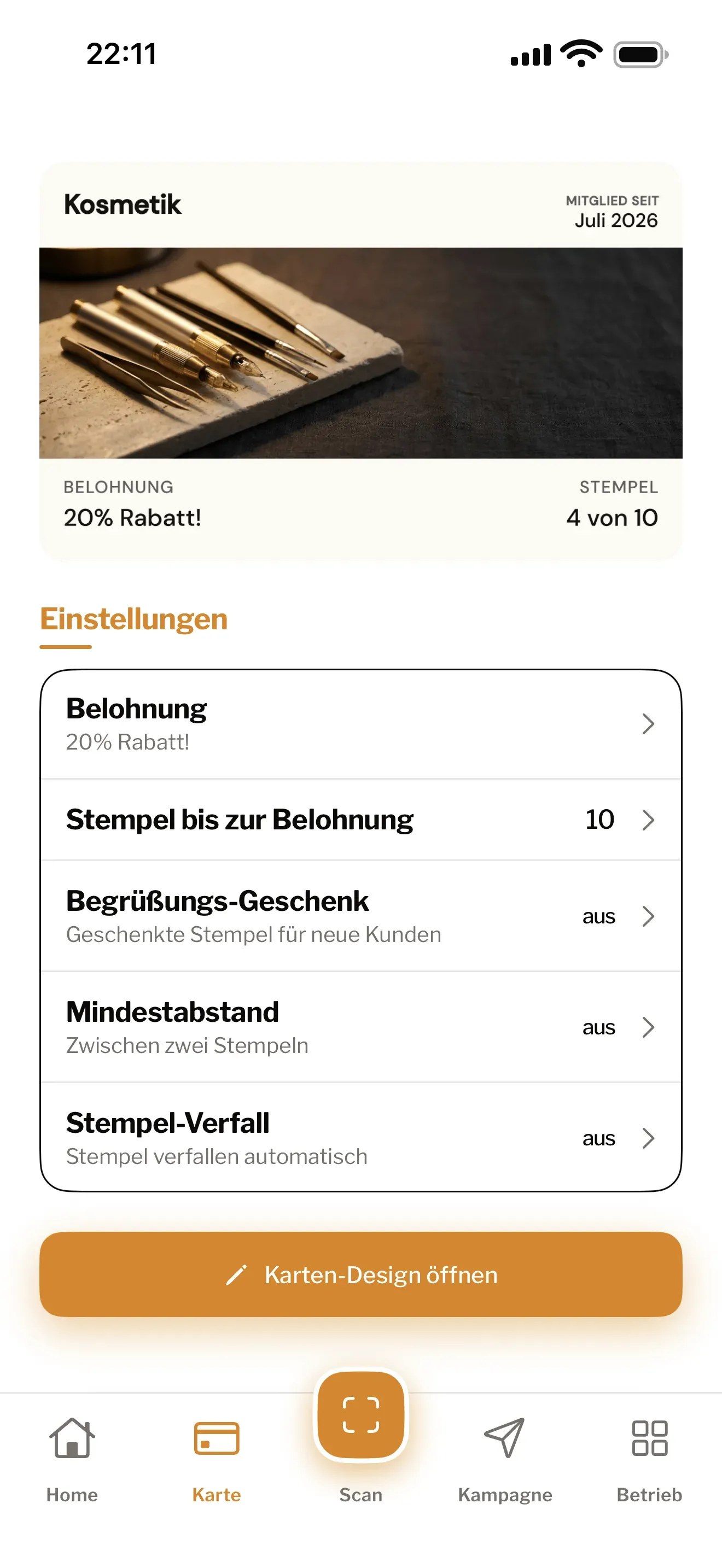
Design a stamp card that feels like your shop
Customers recognise your logo above the door. Help them find you just as easily in their wallet. Treubar lets you design a digital stamp card with your logo, colours and an image that suits your business.
Every plan includes all design options. There is no need for an agency or a graphics package.
Make it yours in a few steps
- Choose an image: start with one of 72 templates in nine categories or upload your own photo.
- Add your brand: place your logo and adjust the background, text and label colours.
- Set the reward: choose a clear goal and wording customers can understand at a glance.
- Check it live: every change appears in the preview as you make it.
Templates supply the image and matching colours; you choose the stamp goal and reward. Explore the stamp card templates or follow the guide to your first card.
Give customers something worth collecting for
“One free cappuccino” says more than “A little surprise”. Be specific about the reward and choose a stamp goal that fits how often customers visit. A café serving daily regulars needs a different rhythm from a salon with appointments weeks apart.
Your logo, image, reward and stamp count appear on the card in Apple Wallet and Google Wallet. Customers can see how close they are whenever they open it.
Your design is included on Free
Design your card for free and start with up to 20 customer passes at one location. Free has no fixed end date and needs no credit card. When more customers join, move to Start for unlimited customer passes. Compare plans.
Treubar in use at Studio HACO
Studio HACO has used Treubar since the pilot phase. The reward: “10th appointment −20%”.
Common questions
- Can I design my stamp card for free?
- Yes. Every plan includes the full design options: 72 templates, your own image, logo, colours and reward text. Free gives you one card, one location and up to 20 customer passes, with no credit card needed.
- Can I use my own logo and photo?
- Yes. Upload your logo and a background image of your own. Adjust the crop and colours, then check the pass in the live preview.
- How many stamp cards can I design?
- One per business, on every plan. You choose the design, reward and stamp goal. With Max, the same card works at up to five locations.
- What happens when I change the design or reward?
- New cards receive the change straight away. Cards that already have stamps keep their previous design, stamp goal and reward until customers fill and redeem them.